



.png)





CMO Alliance Member and #proud
So, you’re a proud CMO Alliance founding member? Awesome. It’s time to showcase your marketing credentials and let everyone know.
With more than one position listed, your LinkedIn profile gets viewed up to 29 more times. The benefits of adding your membership include:
Adding details of your membership to your profile will:
- Showcase your extensive marketing knowledge
- Highlight your acumen across a variety of marketing principles
- Demonstrate your appetite to enhance your knowledge and develop your career
- Improve appeal amongst recruiters seeking applicants with licenses/certifications.
Now, onto the tutorial...
1. Head to your LinkedIn profile
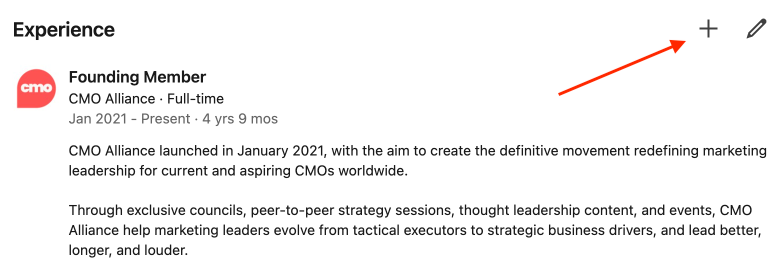
Head to the ‘Experience’ section of your profile and hit the + button located in the top right corner.
2. Provide some quick details
Then, you’ll be presented with this box:
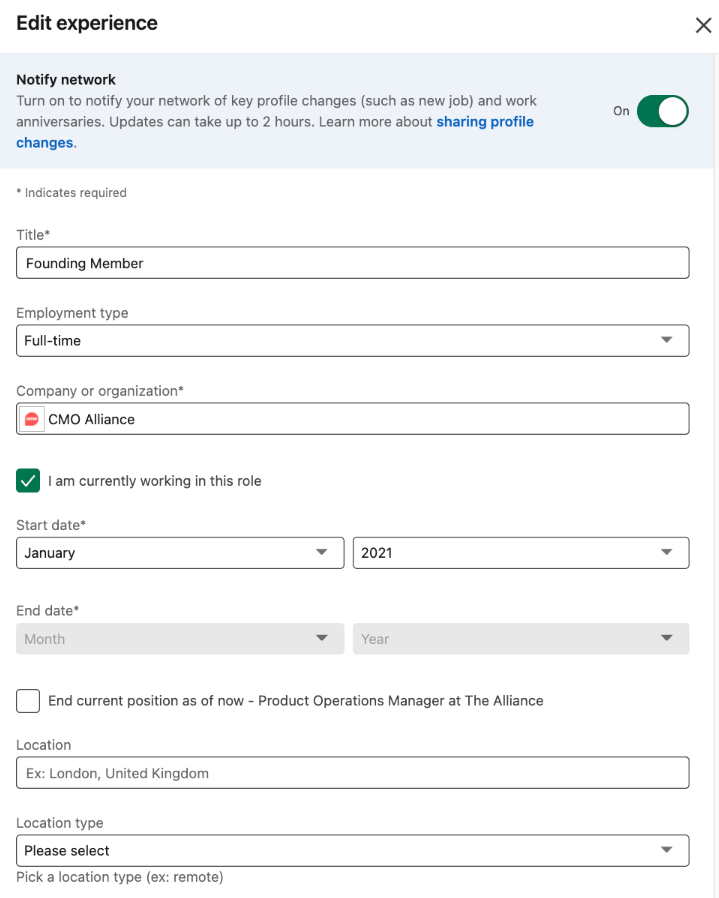
Title: Founding member
Employment type: your choice
Company: CMO Alliance
Date: the date you became a member
Location: N/A
If you scroll down this box a little more, you’ll see some additional fields too:
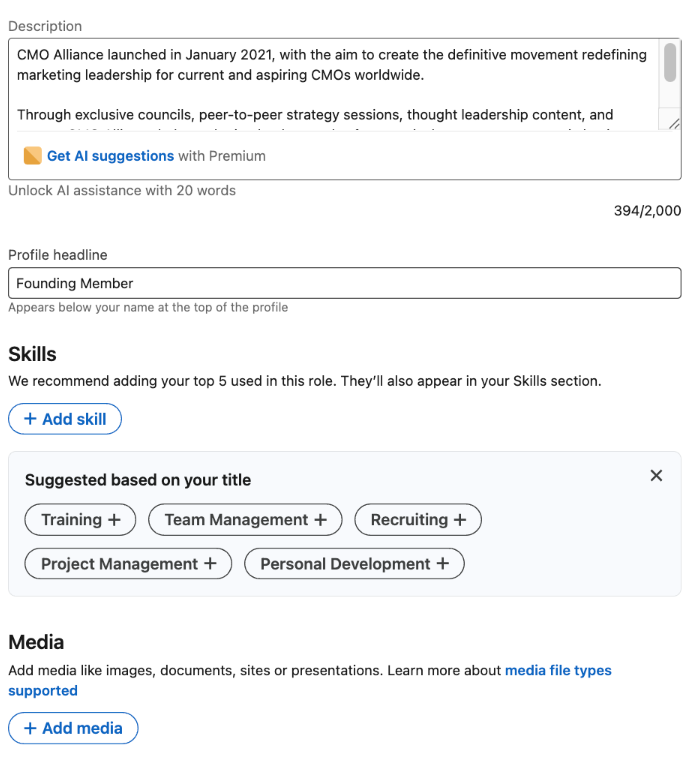
Headline: Add 'Founding Member'
And then here are a few words for the ‘Description’ box:
CMO Alliance launched in January 2021, with the aim to create the definitive movement redefining marketing leadership for current and aspiring CMOs worldwide.
Through exclusive councils, peer-to-peer strategy sessions, thought leadership content, and events, CMO Alliance help marketing leaders evolve from tactical executors to strategic business drivers, and lead better, longer, and louder.
Last (but by no means least!) click ‘Add Media’, ‘Add a Link’ and insert this URL.
3. Admire the view!
Once you’ve completed these steps, your member status will be added to the experience section of your profile.

